Explore how poor business VoIP management can lead to serious network vulnerabilities. Learn why proactive VoIP management is essential for security.

November 18, 2026
A cloud migration can succeed technically but still break the reporting and access controls your business depends on. You may not notice until a key manager can’t get the numbers they need, weeks after the move.
Picture a finance manager logging in Monday morning to find the monthly revenue dashboard blank. The servers moved over the weekend without a hitch, yet something downstream quietly broke.
That gap between "the migration worked" and "the business still works" is where the real risk lives. A technically flawless move can still leave reports empty or permissions locked, and the absence often stays invisible until someone goes looking for data that is no longer there. What's at stake isn't just downtime or lost files—it's the visibility that lets a business make decisions at all.
This is precisely the territory cloud migration consulting needs to cover, beyond simply relocating files and applications to new infrastructure. Every workflow riding on that infrastructure, including reporting and security, has to keep working once the move is finished. For any team that depends on daily reports or specific access levels, protecting those details matters as much as moving the data itself.

The common assumption is that once data and applications land in the cloud, everything behaves exactly as it did before. Reporting tools and access controls, though, often depend on connections, permissions, or data structures that shift the moment migration begins.
When those links snap, the consequences rarely announce themselves. Reports quietly stop updating, or specific users lose the dashboard access they relied on daily. Because many reports only get pulled at month-end or by one particular manager, the break can sit undetected for weeks.
The real danger surfaces at the worst possible moment: when someone needs that information and discovers it is missing. Fixing it then costs extra time and effort, which slows the business and frustrates the team depending on it.
A migration can look flawless on the surface and still cause damage underneath it. Once reporting tools or access controls are disrupted, a business can end up facing several compounding problems:
These costs accumulate even while the main systems appear to run fine. The damage tends to stay silent at first, but left unaddressed, it can spread into every part of daily operations.
Cloud migration consulting services exist to manage the technical mechanics of a cloud move. The strongest consultants go further, though, examining the business processes layered on top—namely, how reports get used and who needs access to what.
A thorough consultant will:
Taking this approach catches problems before they ever reach the business, which in turn keeps daily operations running smoothly even through a major technical change.
Given how easily reporting and access issues slip past, direct questions before migration begin to matter. Consider asking:
For businesses in Florida, there's an added layer worth raising: whether the consultant understands state-specific data rules that could shape reporting or access requirements. That context carries extra weight when sensitive data is involved.
Certain failure points recur far more often than others during cloud migration. Here is how each one typically shows up.
Reporting tools often connect to specific databases or file locations. If those change during migration, reports can break without warning.
Cloud environments use different permission models. If user roles aren't mapped correctly, employees may lose access to the data they need.
Custom scripts or macros that pull data for reports may not work in the new environment, especially if they reference old paths or systems.
Third-party tools that feed data into your reports may not reconnect properly after migration, causing gaps in your dashboards.
Because some reports are only run monthly or quarterly, problems may not be found until long after the migration is considered complete.
If access controls are not rebuilt correctly, you may accidentally expose sensitive data or fail to meet regulatory requirements.
Given all these scenarios, a strong migration plan has to cover more than just moving data. These steps keep reporting and access controls intact through the transition:
Following them turns a migration full of guesswork into one with far fewer surprises.
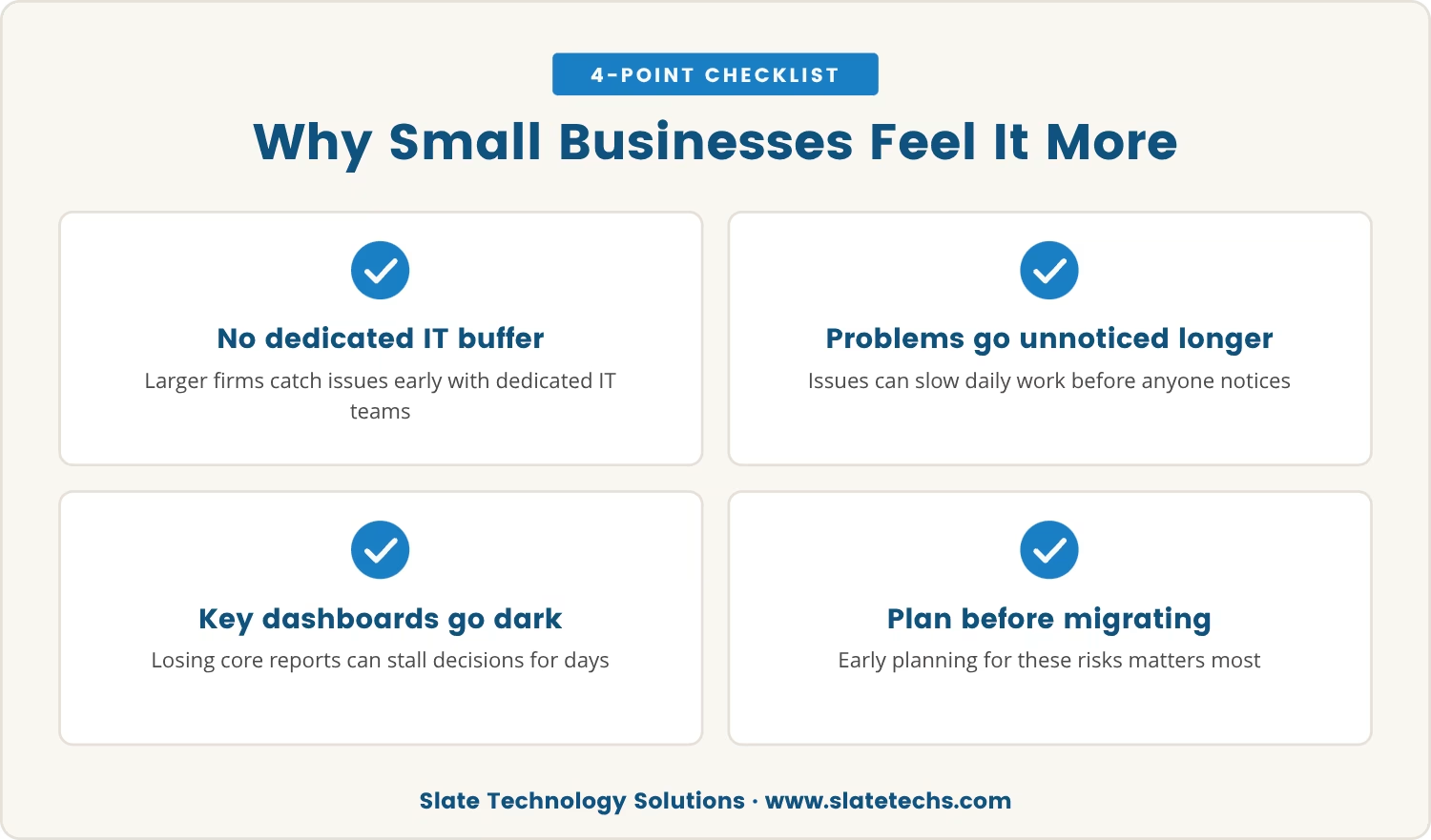
Larger companies tend to have dedicated IT teams positioned to catch reporting or access issues before they spread. Smaller businesses often lack that buffer, so a problem can go unnoticed until it's already slowing down daily work, and with fewer resources on hand, even a minor disruption lands harder.
When a business leans on a handful of key reports or dashboards, losing access to them can stall decision-making for days at a stretch. Manual workarounds eat time and invite errors of their own. That combination is exactly why planning for these risks before migration matters so much.
Have you reviewed which reports your managers use most often? Knowing this can help you prioritize what to test and monitor during migration.
A successful migration is about more than moving data—it's about preserving the systems and controls that keep your business running. When you work with a consultant who understands this, you protect not just your technology, but your ability to make decisions and stay secure.
The real value of cloud migration consulting is in the details. By focusing on reporting and access controls, you avoid costly surprises and keep your business moving forward.

If your business has 45 to 60 users, you know how much you depend on daily reports and secure access to keep things running. At Slate Technology Solutions, we see how easily these details get overlooked during a cloud migration.
We invite you to talk with us about how we approach reporting and access controls during migrations. Let’s make sure your team stays connected to the data they need.
Sign a 3-year contract with Slate Technology Solutions and receive 3 months of service at no cost—an offer for businesses ready to secure their migration and daily operations.
The surest check is a full list of every report and dashboard the team uses, tested one by one in the new cloud environment before the migration is called complete. That direct comparison, old versus new, is what catches issues early rather than after someone needs the missing data.
A strong consultant goes beyond the technical setup to learn how data actually gets used day to day. That means asking about reporting needs, access controls, and any custom tools the business depends on, rather than treating migration as a purely technical checklist.
Yes. Access controls that aren't configured correctly in the new environment can expose sensitive data or fall short of compliance requirements without anyone noticing right away. A migration plan should include a full review of permissions and security settings before the move is considered finished.
A managed service provider handles ongoing IT support and cloud management over time, while a migration consultant focuses specifically on planning and executing the move itself. Some providers offer both, but the two roles serve different purposes.
Documenting every reporting tool and its dependencies before migration gives a consultant a clear map of what needs protecting. Testing each report after the move, keeping a plan ready to fix issues quickly, and maintaining open communication with the team all help catch problems while they're still small.